
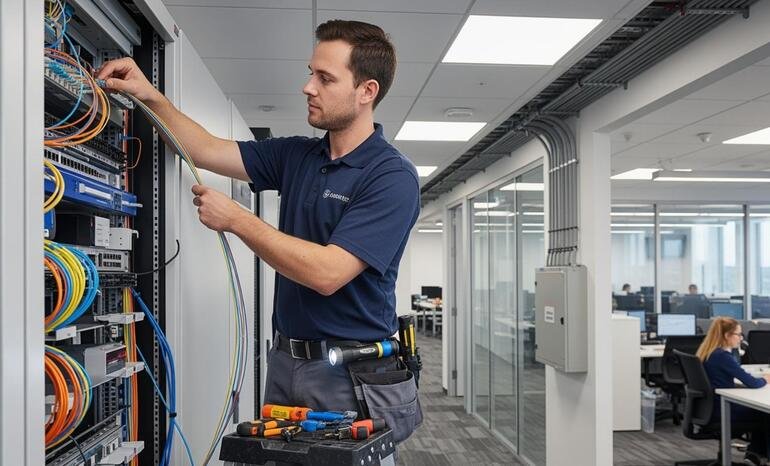
Fiber Backup vs Wireless Backup: Which Is Right for Your Business?
Imagine your office is handling customer calls, employees are working on cloud applications, and your team is accessing important business systems when suddenly your internet connection stops working.
Your employees may lose access to essential applications, customer calls may be interrupted, and business operations may slow down or stop entirely.
For organisations that depend on continuous connectivity, a backup internet connection can help reduce the impact of an outage.
Businesses using an Internet Leased Line (ILL) often consider two backup options: fiber backup and wireless backup. Both can help maintain connectivity when the primary internet connection fails, but they work differently and offer different advantages.
A fiber backup connection uses a separate fibre-based connection, while wireless backup may use mobile networks such as 4G or 5G, or a fixed wireless link, depending on the available technology.
So, which option is right for your business?
The answer depends on your bandwidth requirements, location, network infrastructure, budget, and the applications that must continue working during an outage.
At CorpFiber, we provide corporate Internet Leased Line connectivity for businesses in Siliguri, Darjeeling, and Jalpaiguri, West Bengal. In this guide, we explain the differences between fiber backup and wireless backup and help you understand which approach may suit your business requirements.
What Is Fiber Backup?
Fiber backup is a secondary internet connection delivered over fibre-optic infrastructure that can be used when the primary connection becomes unavailable.
For example, a business may use an Internet Leased Line as its primary connection and maintain a second fibre circuit as a backup.
If the primary connection fails, a suitably configured router or firewall can switch eligible traffic to the secondary connection.
Fiber backup can be useful for organisations that need substantial bandwidth during an outage, particularly when employees depend on cloud applications, file transfers, voice communication, and other data-intensive business systems.
However, a second fibre connection is not automatically independent of the first. If both connections share the same physical cable route, duct, building entry point, or upstream infrastructure, a single incident could affect both.
The key consideration is path diversity. Ask whether the backup uses a sufficiently separate route and infrastructure to reduce the risk of a common failure.
What Is Wireless Backup?
Wireless backup is a secondary internet connection that uses a wireless access technology instead of relying entirely on a physical fibre connection to the premises.
Depending on local availability, wireless backup may use:
- 4G LTE: Mobile internet delivered through a cellular network.
- 5G: A mobile connection that may provide higher capacity where suitable coverage and network conditions are available.
- Fixed wireless: A point-to-point or point-to-multipoint radio link between network equipment.
- Other wireless technologies: Options selected according to location, coverage, and technical feasibility.
A business can connect a wireless modem, router, or gateway to its network and configure it as a backup path.
When the primary ILL connection fails, the network can switch to the wireless connection if failover is configured.
Wireless backup can be especially useful when fibre infrastructure is difficult to deploy or when a business wants an alternative connection that does not depend on the same last-mile fibre route.
However, wireless performance can vary with signal strength, network congestion, interference, obstructions, weather conditions for some radio technologies, and the capabilities of the deployed equipment.
Fiber Backup vs Wireless Backup: Key Differences
Both technologies can support business continuity, but their characteristics differ.
| Feature | Fiber Backup | Wireless Backup |
|---|---|---|
| Connection medium | Fibre-optic cable | Cellular network or radio link |
| Installation | May require fibre availability and installation work | May be quicker where coverage and equipment are available |
| Bandwidth | Can support high-capacity business requirements, depending on the service | Depends on technology, signal, coverage, and network capacity |
| Performance consistency | Depends on the fibre service and network design | May vary with signal conditions and network load |
| Route diversity | Requires checking the physical route and upstream dependencies | Can provide a different access path if independently designed |
| Installation flexibility | Depends on fibre infrastructure reaching the premises | Cellular options can be useful where fibre deployment is difficult |
| Data limits | Depends on the contracted service | Depends on the plan and provider |
| Typical role | Higher-capacity secondary connection | Alternative path for essential traffic during an outage |
| Main consideration | Avoiding shared physical infrastructure | Coverage, capacity, signal quality, and plan conditions |
These are general comparisons. Actual performance and costs depend on the specific services, location, and network design.
1. Reliability: Which Backup Is More Suitable?
Reliability is one of the most important considerations when selecting a backup connection.
A second fibre connection may provide strong performance when the primary line fails, especially if the backup has adequate capacity and follows a separate physical route.
However, if both fibre connections use the same vulnerable cable route, a fibre cut could affect both services.
Wireless backup can provide a different access path. For example, if the primary fibre cable is accidentally damaged, a cellular connection may continue operating because it uses mobile network infrastructure instead.
But wireless connectivity has its own potential failure points, including poor indoor signal, tower outages, network congestion, and power failures affecting the local equipment.
The practical lesson: Reliability depends not only on whether a connection uses fibre or wireless technology, but also on how independent the backup path is from the primary connection.
2. Speed and Bandwidth During an Outage
When the primary connection fails, your backup does not necessarily need to deliver the same bandwidth.
The appropriate capacity depends on what your business must continue doing.
Fiber backup bandwidth
A fibre-based backup may be suitable for businesses that need to maintain several demanding applications during an outage.
Depending on the subscribed service, it may support activities such as:
- Cloud applications and file transfers
- Video meetings and collaboration tools
- VoIP and business communications
- Remote access to company systems
- Data synchronisation and essential backups
The actual available bandwidth depends on the backup plan. A second fibre connection does not automatically provide the same capacity as your primary ILL.
Wireless backup bandwidth
Wireless backup can be sufficient when the priority is keeping essential systems online rather than maintaining full normal capacity.
For example, a business might prioritise email, essential cloud applications, selected customer calls, and administrative access while temporarily restricting large downloads and non-essential traffic.
The available bandwidth depends on the wireless technology, local coverage, network congestion, signal quality, and service plan.
Before choosing wireless backup, test its performance at the actual business premises rather than relying solely on advertised maximum speeds.
3. Installation Time and Practical Availability
The time required to install backup connectivity depends on the infrastructure already available at your premises.
Installing fiber backup
If suitable fibre infrastructure is already available, installing a second connection may be straightforward. If a new route, additional cabling, building access, or other infrastructure work is necessary, installation may take longer.
A site survey can help establish whether the proposed connection is feasible and whether it follows an appropriately separate route.
Installing wireless backup
Cellular backup may be easier to deploy where the premises have suitable 4G or 5G coverage and compatible equipment.
Fixed wireless may require additional work, including antenna placement, alignment, and a suitable radio path.
In either case, the connection must be configured and tested before it can be relied upon during an outage.
For businesses in Siliguri, Darjeeling, and Jalpaiguri, the practical choice depends on the exact premises, available infrastructure, coverage, and network requirements.
4. Cost: Fiber Backup vs Wireless Backup
The total cost of backup connectivity includes more than the monthly internet charge.
Fiber backup costs
Potential costs include:
- Monthly rental for the secondary circuit
- Installation or fibre deployment charges
- Router, firewall, or interface requirements
- Additional configuration and support
- Costs associated with diverse routing, if available
A separate fibre connection may involve greater installation work where new infrastructure is required. The actual cost depends on the provider and site conditions.
Wireless backup costs
Potential costs include:
- Wireless router, modem, or gateway
- SIM or service activation, where applicable
- Monthly plan charges
- Data usage or overage charges, if applicable
- External antennas or additional equipment, if needed
- Firewall configuration and failover setup
A cellular connection may be economical for low-volume backup usage, but frequent high-volume traffic can change the overall cost.
When comparing options, consider the total monthly and installation expenses alongside the cost of business downtime.
5. Which Backup Is Better for Call Centres and BPOs?
Call centres and Business Process Outsourcing (BPO) companies may rely on VoIP, cloud diallers, CRM platforms, call recording, and reporting systems.
If their primary internet connection fails, agents may lose access to important applications or experience interrupted calls.
For these businesses, backup selection should be based on the number of agents, the applications that must remain available, and the required voice quality during an outage.
When fiber backup may suit a call centre
A separate fibre connection may be appropriate when the organisation needs substantial backup bandwidth for many agents, cloud applications, and simultaneous business activities.
The provider should confirm the bandwidth, service terms, and whether the backup route is sufficiently independent.
When wireless backup may suit a call centre
Wireless backup may be useful for maintaining selected essential services during an outage, particularly when a separate fibre circuit is not readily available.
However, the business should test whether the wireless connection can handle the required number of simultaneous calls and the associated applications.
VoIP quality depends on latency, jitter, packet loss, available bandwidth, and network configuration. A wireless connection should be tested under realistic conditions before being treated as a dependable backup for live calling.
For larger call centres, a combination of independent wired connectivity and a separate wireless backup may be worth evaluating.
6. Which Backup Is Better for Offices, Hospitals, and Other Businesses?
Different organisations have different continuity requirements.
Corporate offices
Offices using cloud software, video meetings, file sharing, and remote-access tools may need enough backup capacity for essential work to continue. The best choice depends on employee numbers and application requirements.
Hospitals and healthcare facilities
Healthcare organisations may rely on digital records, administrative applications, communications, and other operational systems. They should assess connectivity backup as part of a wider continuity plan, with capacity and failover tested for essential systems.
Educational institutions
Schools, colleges, and training centres may need connectivity for administration, learning platforms, and online sessions. Backup capacity should reflect which activities must continue during an outage.
Factories and industrial facilities
Industrial sites may depend on business applications, remote monitoring, and communication systems. Their backup design should consider the actual network architecture and whether local operations can continue safely during a connectivity interruption.
In every sector, the objective is to maintain the services that matter most, rather than simply installing a second connection without testing it.
7. What Is Automatic Failover?
Automatic failover allows a router, firewall, or network management system to switch traffic from the primary internet connection to a backup connection when a qualifying failure is detected.
For example, a business may configure its Internet Leased Line as the primary connection and a secondary fibre or wireless service as the backup.
If the primary link fails, the network device detects the failure and redirects eligible traffic to the backup.
The transition time depends on the equipment, failure-detection settings, routing configuration, and applications in use. Some existing sessions may disconnect even when new traffic resumes through the backup.
A properly planned failover setup should include:
- A primary connection and a backup connection.
- A router or firewall that supports the required failover method.
- Appropriate health checks to detect a real connection failure.
- Traffic rules that prioritise essential business applications.
- Testing to confirm that the backup works when the primary link is unavailable.
Do not assume that two active internet connections automatically provide failover. The network must be configured and tested to use the backup correctly.
8. Can You Use Both Fiber Backup and Wireless Backup?
Yes. Some organisations use multiple backup paths to reduce dependence on a single connection or access technology.
For example, a business may use:
- Primary connection: Corporate Internet Leased Line
- First backup: A separate fibre connection with diverse routing
- Second backup: A 4G or 5G connection
The primary link can handle normal business activity, while the first backup provides an alternative wired route. Wireless connectivity can provide an additional option if the wired paths are disrupted.
This design may be useful for organisations where connectivity interruptions have a substantial operational impact.
However, more connections also introduce additional costs and configuration requirements. The business should identify which services need to remain available, establish traffic priorities, and test each failover path.
A multi-link setup is only as effective as its weakest shared dependency. Power, routers, building cabling, and upstream infrastructure should all be considered.
How to Choose the Right Backup for Your Business
Before selecting fiber backup or wireless backup, answer these questions.
1. How much downtime can your business tolerate?
If an outage can stop revenue-generating operations or critical workflows, invest in a backup design that matches those requirements.
2. How much bandwidth do you need during an outage?
List the applications that must remain operational. Calculate the approximate capacity required for essential users, voice calls, and cloud services.
3. Does the backup use a separate route?
Ask whether the secondary connection shares the same fibre route, duct, building entry point, or upstream infrastructure as the primary service.
4. Is wireless coverage suitable at your premises?
For cellular backup, test signal strength and performance where the router will be installed. For fixed wireless, confirm the required radio path and equipment placement.
5. What is the total cost?
Compare installation, monthly rental, equipment, data allowances, support terms, and any configuration charges.
6. Can the network switch automatically?
Confirm that your router or firewall supports the required failover behaviour and that the transition has been tested.
7. Have you tested the backup under realistic conditions?
Simulate a primary-link failure, confirm that essential applications work, and verify that traffic returns to the primary connection appropriately when service is restored.
These checks help turn a backup connection into a practical business continuity measure.
Fiber Backup and Wireless Backup for Businesses in Siliguri, Darjeeling, and Jalpaiguri
Businesses in Siliguri, Darjeeling, and Jalpaiguri may have different connectivity challenges depending on their building, local infrastructure, and operational requirements.
CorpFiber provides corporate Internet Leased Line connectivity across these service areas.
When planning business connectivity, organisations should consider not only the primary ILL bandwidth but also how they would continue operating if the connection became unavailable.
A suitable backup design may involve a separate fibre route, wireless connectivity, or a combination of both. The appropriate option depends on technical feasibility, available providers, required capacity, and the business’s tolerance for downtime.
Contact CorpFiber to discuss your corporate connectivity requirements and assess the service options suitable for your premises.
Frequently Asked Questions
1. What is the difference between fiber backup and wireless backup?
Fiber backup uses a secondary fibre-optic connection, while wireless backup uses a technology such as 4G, 5G, or fixed wireless. Both can provide an alternative connection, but their performance and independence depend on the actual service and network design.
2. Is fiber backup more reliable than wireless backup?
It depends on the deployment. A separate fibre route can provide consistent capacity, while wireless can offer an alternative path around a physical fibre cut. Shared infrastructure, coverage, congestion, and equipment failures can affect either option.
3. Can 4G or 5G be used as an ILL backup?
Yes. A compatible router or firewall can use a 4G or 5G connection as backup for an Internet Leased Line, provided coverage, service availability, and configuration are suitable.
4. Does a fiber backup connection need a separate cable route?
If the goal is to reduce the risk of a fibre cut affecting both connections, route diversity is important. Ask the provider whether the backup follows a separate physical route and whether other infrastructure is shared.
5. Will the backup connection have the same speed as the primary ILL?
Not necessarily. The backup may have less bandwidth. It should be sized according to the business applications and users that must remain connected during an outage.
6. What is automatic internet failover?
Automatic failover is a network feature that redirects traffic to a backup connection when the primary connection fails. It requires compatible equipment, appropriate configuration, and testing.
7. Is wireless backup suitable for a call centre?
It may be suitable for essential traffic if the available bandwidth, signal quality, latency, jitter, and packet loss meet the call centre’s requirements. Test the connection with realistic voice and application workloads before relying on it.
8. Can a business use fiber and wireless backup together?
Yes. A business can combine a primary ILL, a separate fibre backup, and a wireless connection for additional resilience. The setup should be designed around the required applications, budget, and shared points of failure.
9. Does having two internet connections guarantee zero downtime?
No. Failover can reduce the impact of some outages, but switching delays, shared infrastructure, equipment problems, power loss, and other failures may still interrupt service.
10. How can I plan backup connectivity for my business?
Start by identifying critical applications, required backup bandwidth, acceptable downtime, and the infrastructure available at your premises. Then compare suitable backup options and test the failover process.
Keep Your Business Connected With the Right Backup Plan
Fiber backup and wireless backup serve the same broad purpose: helping your business continue operating when its primary internet connection becomes unavailable.
A separate fibre connection may suit businesses that need substantial backup capacity, especially when the route is genuinely diverse. Wireless backup can offer a practical alternative path where suitable coverage exists or fibre installation is difficult.
The right solution depends on your bandwidth requirements, location, budget, and the applications your team needs during an outage.
Looking for a corporate Internet Leased Line in Siliguri, Darjeeling, or Jalpaiguri?
Contact CorpFiber to discuss your connectivity requirements, check technical feasibility, and plan a suitable approach to business internet continuity.
CorpFiber — Excellence in Every Connection.

Rosalina D. Willaim
Blogger/Photographerhe whimsically named Egg Canvas is the design director and photographer in New York. Why the nam

July 19, 2025